Kitesurf, wing and surf tracker, with the forecast on your wrist
Record your session with GPS (legs, speed and waves) and check the forecast for where you stand, with your phone left in the car. The watch app comes free with Wavind for iPhone.

Included with the iPhone app. Apple Watch Series 4 or newer, SE or Ultra, on watchOS 10 or later.
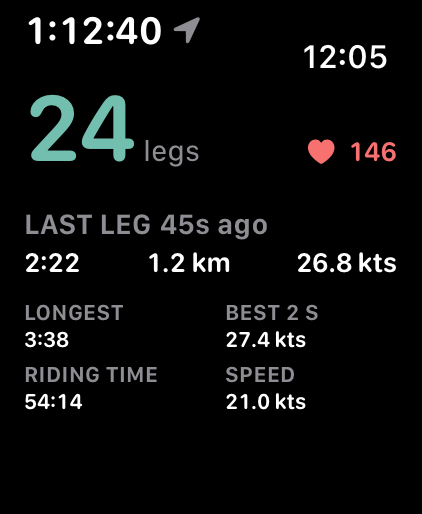
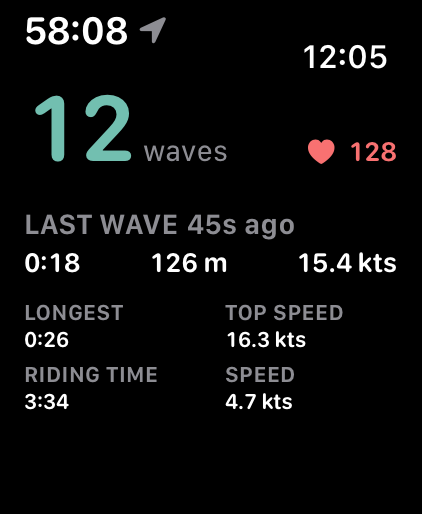
App screens with example data.
What the watch does
A glance at the water’s edge, built for wet hands and bright sun.
Session tracker
Record kitesurfing, wing foiling, windsurfing, snowkiting and surfing with GPS, saved as an Apple Health workout.
Live legs and speed
Your leg count, last leg and best 2-second speed while you ride, with a wrist tap on every new leg.
Forecast where you stand
Nearest spot opens the forecast for the closest Wavind spot. Current location (Pro) forecasts the exact point you are standing on.
Your spots on the wrist
Every saved spot with the wind right now and an arrow showing which way it blows.
Report conditions
Tell the forecast how it went in a few taps, right after you stop recording.
No phone needed
After the first sign-in the watch uses Wi-Fi or its own cellular connection. Recording needs no connection at all.
Your session and the conditions, together
Wind or swell, water temperature, the next tide and remaining daylight. Turn the crown to check the conditions while your session keeps recording.
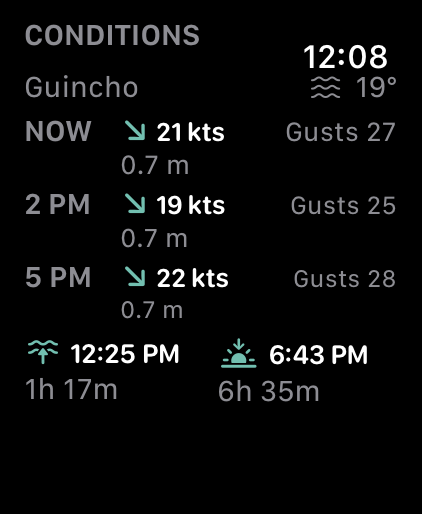
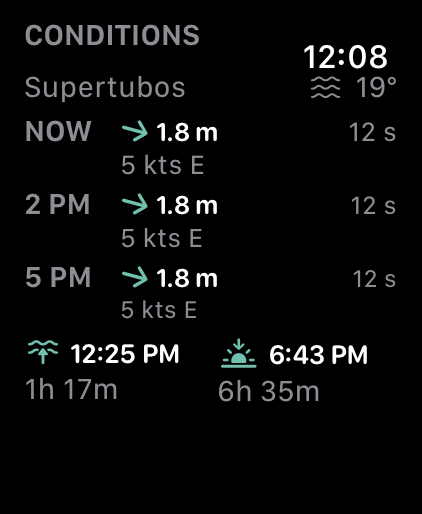
App screens with example data.
A GPS session tracker made for wind and waves
Open Log, tap Track session, pick your sport and ride. Water Lock turns on while you record; swipe between your live figures, the conditions and Stop.
-
Legs, not laps
For kitesurfing, wing foiling, windsurfing and snowkiting the watch counts legs: one reach in one direction. A carved turn starts a new leg; a short swerve does not.
-
Best 2 s speed
Your fastest two-second average from reliable GPS speeds, live while you ride and in the summary.
-
Waves for surfers
Surf sessions count the waves you rode and show your top speed.
-
The full analysis on iPhone
The phone turns the track into a logbook entry: the map, clean and stalled turns, stops, breaks, your longest streak, and the speed and wind breakdown. Trim it or export it as GPX.
-
Your heart rate stays yours
With Health permission the watch shows your heart rate live and saves it with the workout in Apple Health. It is never sent to Wavind.
-
Safe to forget
The watch warns you after 45 minutes without movement, and saves what it has before the battery runs critically low.
The forecast, readable at the water’s edge
One page per day, seven days ahead. Swipe or turn the Digital Crown to move between days.
-
Wind, gusts and direction
In your own unit (knots, m/s or km/h), with an arrow showing where the wind is going.
-
Waves when you surf
With the Surf profile, rows lead with wave height, period and swell direction.
-
Sunrise and sunset
Every day page shows first and last light on the spot’s own clock.
-
Hourly rows and tides with Pro
Pro switches the rows from three-hour steps to hourly and adds high and low tides to every forecast.
-
Works out of signal
Your spots and the forecasts you opened stay on the watch, marked with when they were last updated.
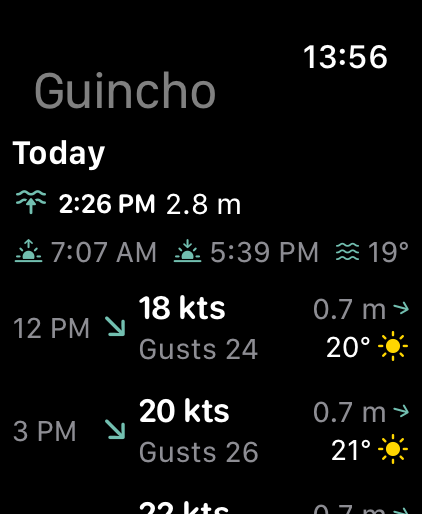
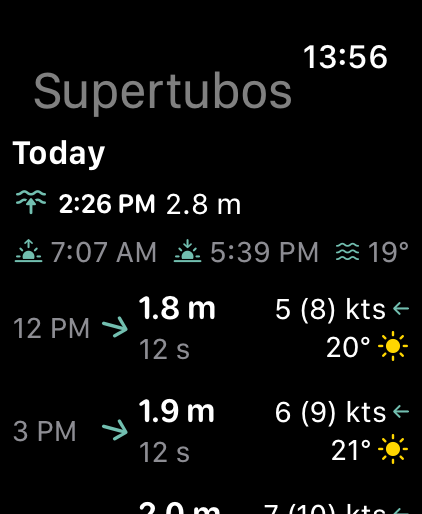
App screens with example data.
Report conditions without your phone
The forecast at a spot gets better when riders say how it really turned out. The watch takes a report in seconds.
-
Three questions
Wind or surf, how it compared to the forecast (from much less to much more), and an optional score from 1 to 10.
-
Straight from the summary
After Stop, Report conditions opens for the spot where you started, already set to your sport.
-
Saved against the forecast
Wavind stores the forecast for that hour with your report, so the comparison means something later.
How to get it
- 01
Install Wavind on iPhone
The watch app comes with it, and your iPhone offers it on the paired watch.
- 02
Sign in on the phone
Open the iPhone app once with the watch nearby. The watch signs in by itself, so there is nothing to type on your wrist.
- 03
Allow Health workouts
The first time you record, allow workouts, and heart rate if you want to see it live.
- 04
Track a session
Open Log, tap Track session, pick your sport and go ride.
Apple Watch FAQ
Which Apple Watch models are supported?
Apple Watch Series 4 or newer, any SE or Ultra, on watchOS 10 or later, paired with an iPhone XS, XR or newer on iOS 17 or later.
Do I need my iPhone with me on the water?
No. Recording needs no connection at all. Forecasts and reports use the watch’s own Wi-Fi or cellular connection, and the forecasts you already opened stay on the watch out of signal.
Is the Apple Watch app free?
Yes, it is included with Wavind for iPhone. Session tracking, Nearest spot, the forecast pages and condition reports are free. Pro adds Current location, hourly rows and tides.
Which sports can I track?
Kitesurfing, wing foiling, windsurfing, snowkiting and surfing. The wind sports count legs and speed; surfing counts waves.
Is my heart rate sent to Wavind?
No. Your heart rate is shown live on the watch and saved in Apple Health only. Your sessions in Wavind show no heart rate.
Can I sign in on the watch?
You sign in on the iPhone, and the watch picks it up by itself. A session recorded while signed out waits on the watch until you add it to your account.
More from Wavind
- iPhone app Forecasts, session scores, boards and alerts in a native iPhone app. Learn more
- Kitesurf forecast Wind, gusts and direction scored for kitesurfing. Learn more
- Wing foil forecast Light-wind windows and gusts scored for wing foiling. Learn more
- Surf forecast Swell, period, wind and tide in one score. Learn more
Ride with Wavind on your wrist
Install Wavind for iPhone and the Apple Watch app comes with it.