The wind and wave forecast app for iPhone
Check your spot in seconds: the score right now, the next hours and the best session ahead, for kitesurfing, wing foiling, windsurfing and surfing. Native, fast, and in sync with your Wavind account.

Free to use. Requires iOS 16.4 or later. Apple Watch app included.
Everything you check before a session
One app instead of five tabs: forecast models, spot guides, alerts and your session log.
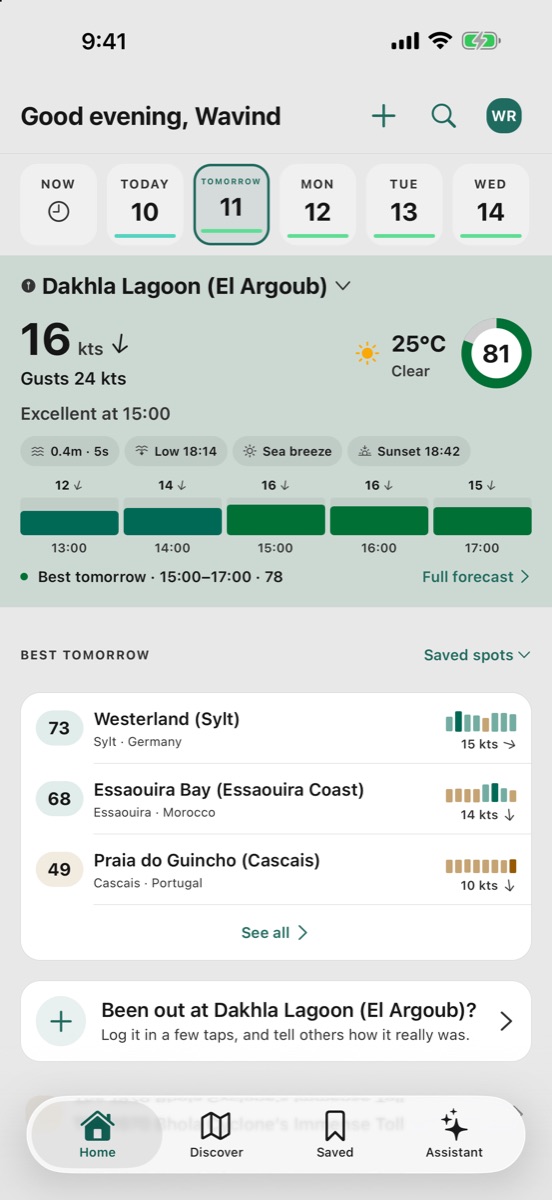
Your spot at a glance
Home opens on your spot: how good it is right now, the next five hours, and the next and best sessions ahead.
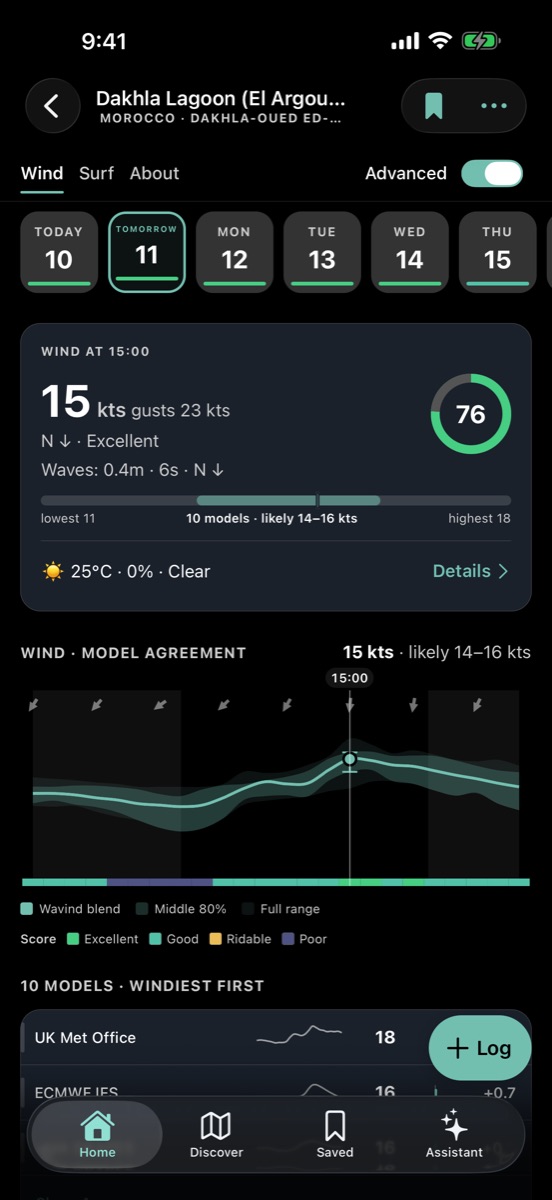
Every model on one chart
See where the forecast models agree and where they split, hour by hour, with one 0–100 score for your sport.
Boards that rank your spots
Put your local spots on a board and see which one works best on the day you pick, or put two head to head.
Daily alerts
One notification the evening before, and only when tomorrow is worth it at the spots you follow.
Discover map
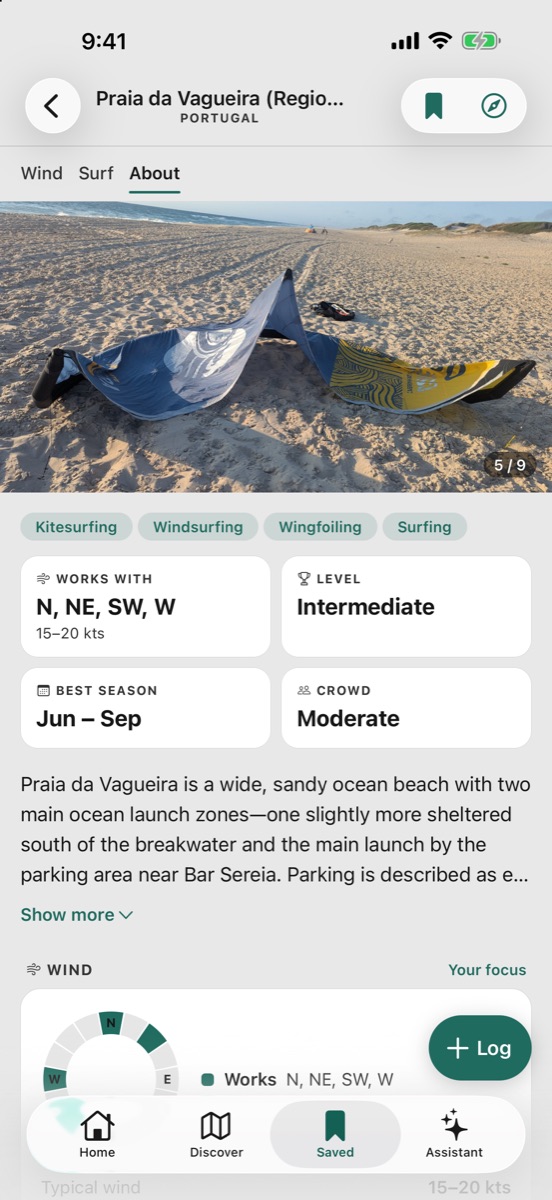
Every Wavind spot on a full-screen map with filters, plus custom spots you pin anywhere.
Assistant in your pocket
Ask for a spot, a forecast or a whole trip and get answers as cards you can open. Type it or dictate it.
A forecast built for riders
Pick an hour and the app gives you the verdict first, then the detail: wind, gusts and direction, waves and swell, tides, temperature and rain, as charts you can swipe through day by day.
-
Wind, Surf or Both
Switch your forecast focus in one tap. Kite, wing and windsurf are scored on the wind; surf on the waves, the period, the tide and the wind against the shore.
-
Basic and Advanced
A quick read for the morning check, or every model and every hour when the call is close.
-
7 days free, 14 with Pro
Every spot gets a week ahead on the free plan. Pro extends it to the full 14-day outlook.
-
Works with patchy signal
Spots and forecasts you opened are kept on the phone, so one bar of signal in the beach car park is not a problem.
Log sessions and report conditions
Tell the forecast how it went. Logging takes a few taps, and every report makes the forecast at that spot more useful for everyone.
-
Session log
Save where you rode, the gear and how it went. Sessions recorded on Apple Watch arrive with their GPS track and stats.
-
Condition reports
Say whether the wind or the waves matched the forecast, and see what other riders reported at a spot recently.
-
One account everywhere
Your spots, boards and sessions are the same on iPhone, Apple Watch and wavind.app.
An Apple Watch app is included
Install Wavind on your iPhone and the watch app comes with it: the forecast for where you stand, your spots, condition reports, and GPS session tracking for kite, wing, windsurf and surf.
-
Forecast on the wrist
Seven days for every spot, wind and waves, readable at the water’s edge.
-
Session tracker
Legs, top speed and your route, recorded as a workout while the phone stays in the car.
Get started in a minute
- 01
Download Wavind
Get it free from the App Store.
- 02
Pick your focus
Choose Wind, Surf or Both, so every score is judged for what you ride.
- 03
Save your spots
Search or browse the map and save the spots you ride. Your forecast starts there.
- 04
Turn on alerts
Choose a spot and a time, and Wavind tells you when tomorrow is worth it.
iPhone app FAQ
Is the Wavind iPhone app free?
Yes. The app is free to use, and the free plan covers spot guides, 7-day forecasts, session scores, alerts for one spot and session logging. Wavind Pro, bought in the app through the App Store, adds the 14-day forecast, the current-location forecast, alerts for every saved spot and the highest assistant limits.
Which iPhones are supported?
Wavind needs iOS 16.4 or later: iPhone 8, iPhone X, iPhone SE (2nd generation) or anything newer. On an iPad it runs as the iPhone app.
Does it use my Wavind account from the website?
Yes. Sign in with the same account and your spots, boards, sessions, reports and plan are the same on iPhone and wavind.app.
Which forecast models does it show?
The same models as the website, including GFS, ICON, ECMWF and AROME, side by side on one chart for each spot.
Is there an Android version?
Yes. Wavind for Android uses the same account and the same forecasts. The Apple Watch app needs an iPhone.
Which languages does the app speak?
English, Polish, German, Spanish, Portuguese (Portugal), French, Dutch, Italian and Portuguese (Brazil). The Apple Watch follows the language you pick in the iPhone app.
More from Wavind
- Apple Watch app Track sessions with GPS and check the wind on your wrist. Learn more
- Wind and surf alerts A notification the evening before a good day at your spots. Learn more
- Android app The same forecasts, boards and alerts on Android. Learn more
- MCP server for AI assistants Your spots, forecasts and gear in your own AI assistant, with Pro. Learn more
Your next session starts on your phone
Download Wavind for iPhone and save your first spot.