A live surf and wind forecast for your WordPress site
Show riders this week’s wind and waves at your spot, right on your school’s website, and let them book with one button. Two blocks, no code to copy, and the forecast stays up to date by itself.
Free on WordPress.org. Requires WordPress 6.3 and PHP 7.4 or newer.
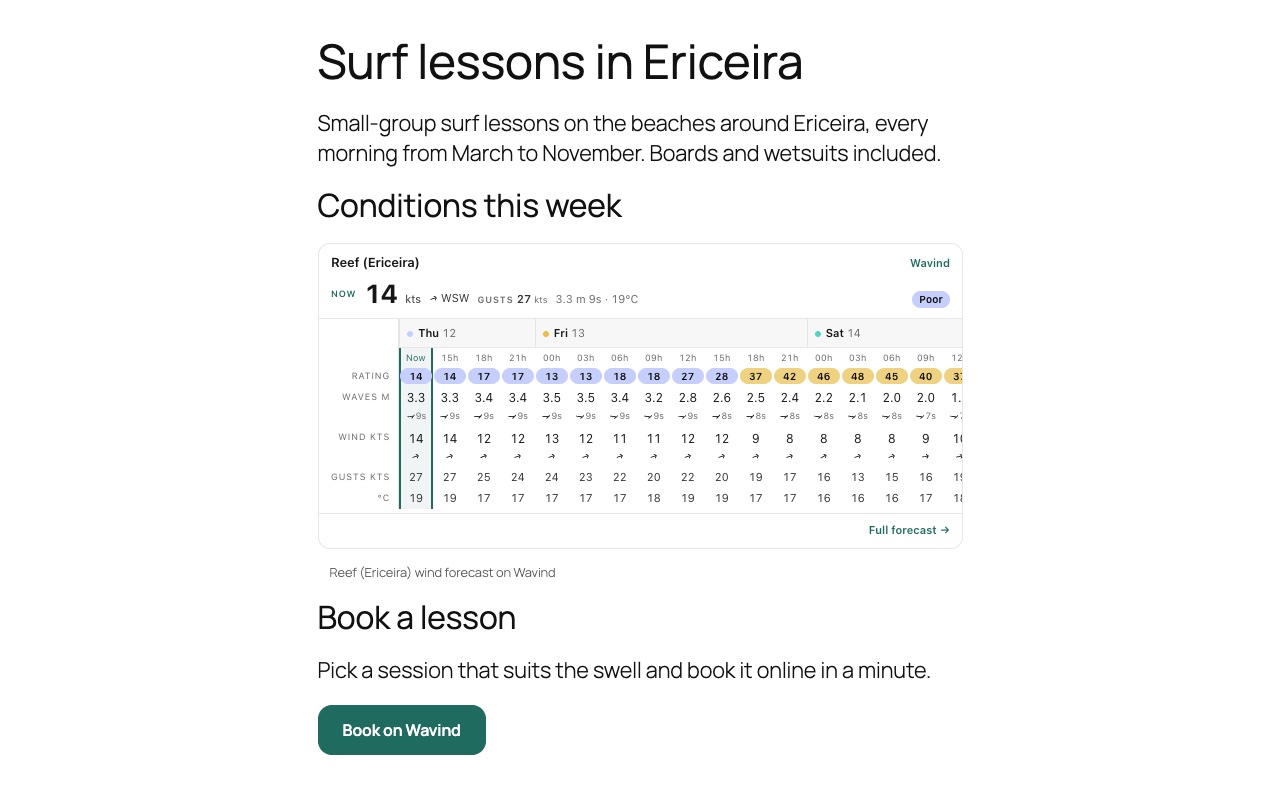
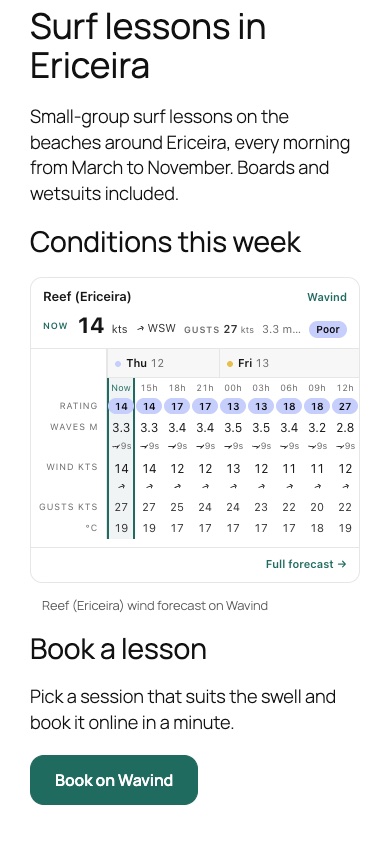
Built for school and rental websites
Install it like any other plugin, then add a block where the forecast or the button should go.
Live forecast block
Up to seven days in three-hour steps: wind, gusts, waves, temperature and a session rating for your sport.
Book on Wavind button
A button that opens your Wavind booking page, where riders choose a service and book.
Find your spot by name
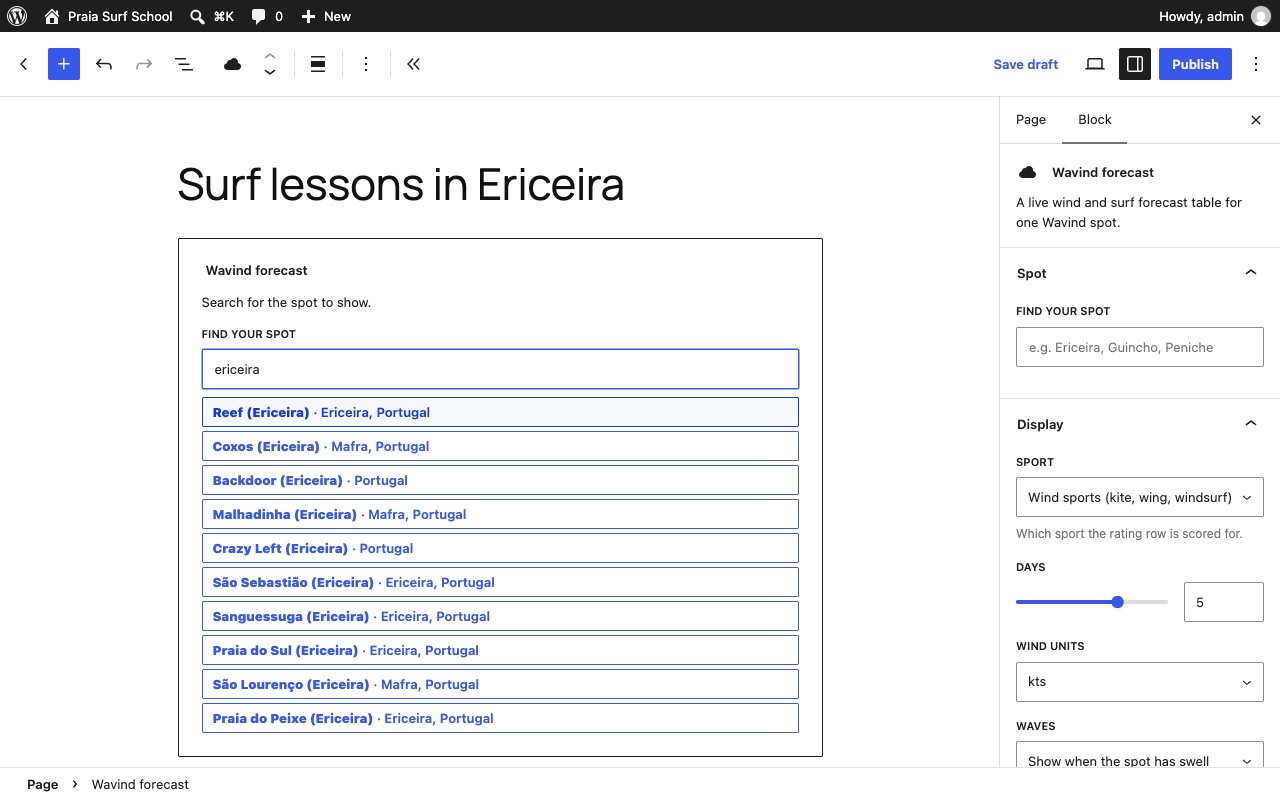
Type a beach or town in the editor and pick from the public Wavind spots.
Six languages
English, Portuguese, Spanish, French, German and Polish. It follows your site’s language unless you choose one.
Fits your theme
Light, dark or automatic forecast, and a teal, dark or light button with your own text.
Light on your site
No script on your pages and no cookies from the forecast. The button only sends visitors to Wavind when they click it.
Set it up in the editor you already use
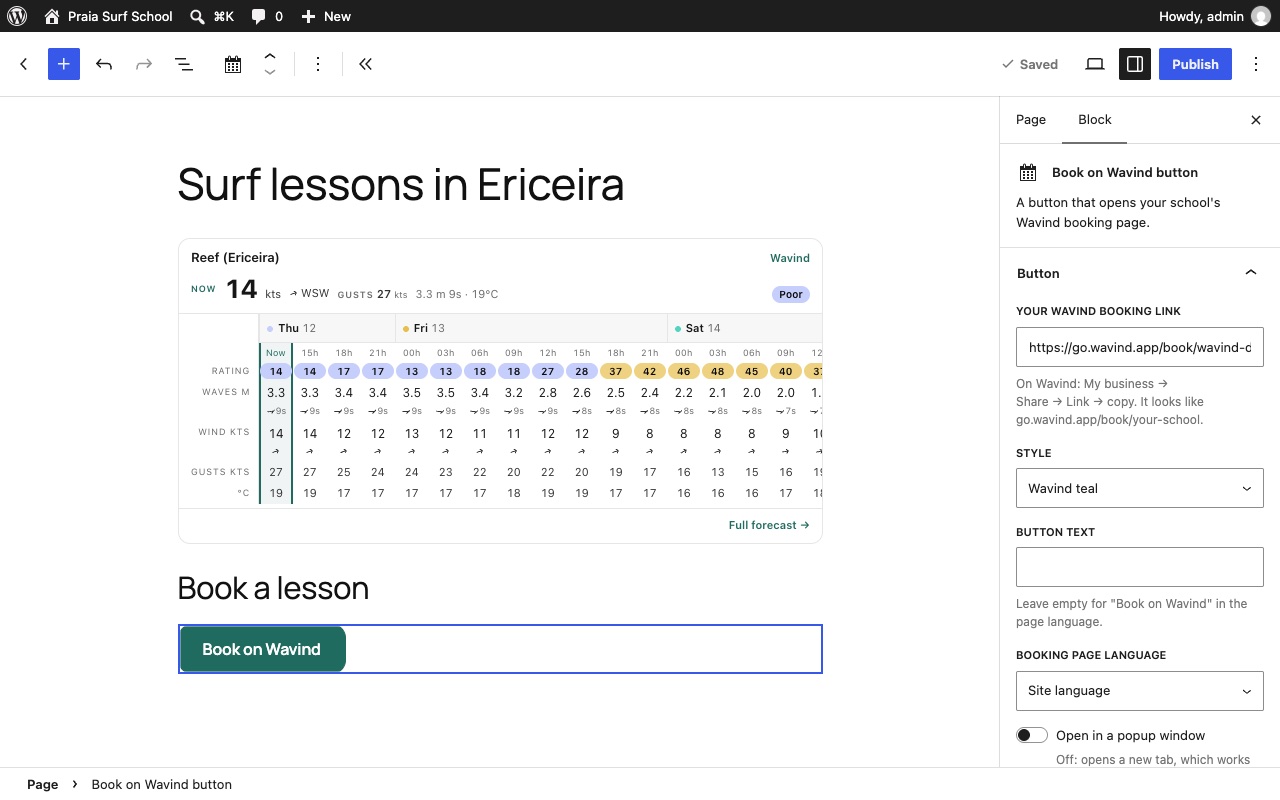
Both blocks live in the WordPress block editor. Search for your spot, choose how it looks and see the live result before you publish.
The forecast block
One public Wavind spot per block, always current. No Wavind account is needed to show it.
-
Your sport’s rating
Score the rating row for wind sports, surf or both, so the colours match what you teach.
-
Your units
Knots, m/s or km/h, °C or °F, and waves in metres or feet, shown where the spot has swell or hidden.
-
1 to 7 days
Show just today or the whole week, in three-hour steps.
-
Preview in the editor
The block shows the live forecast while you edit, in your site’s language.
-
Optional credit link
A small credit line linking to Wavind under the forecast. It is off by default.
-
Public spots only
Private spots you created in your Wavind account cannot be embedded.
The booking button
Paste the booking link from your Wavind business page and the button does the rest.
-
Your booking link
On Wavind, open My business → Share → Link and copy it into the block.
-
Three styles
Wavind teal, dark or light, with “Book on Wavind” or your own text.
-
New tab or popup
Opens a new tab by default, or a popup window on computers. Phones always use a tab.
-
Free to take bookings
Your listing is free, always. Bookings are free until 31 December 2027, with no commission.
Shortcodes for classic editors and page builders
Not using the block editor? Paste a shortcode into a Shortcode block or your page builder’s shortcode element.
-
[wavind_forecast]
Add your spot’s forecast URL and options such as sport, days, units, waves, theme and language.
-
[wavind_booking]
Add your booking link and, if you like, a style, button text, language and popup option.
-
Same output
Blocks and shortcodes print exactly the same forecast and button.
Set it up in a few minutes
- 01
Install the plugin
In WordPress, open Plugins → Add New Plugin, search for “Wavind”, install and activate it.
- 02
Add the forecast
Add the Wavind forecast block, search for your beach or town and pick your options.
- 03
Add the button
Add the Book on Wavind button block and paste the booking link from your Wavind business page.
- 04
Publish
Check the page on a computer and a phone, then publish it.
WordPress plugin FAQ
Is the plugin free?
Yes. The plugin and the forecast are free. A Wavind business listing is free too, and bookings are free until 31 December 2027.
Do I need a Wavind account?
Not for the forecast. For the booking button you need a Wavind business page that is visible, with bookings turned on and at least one service.
Which spots can I show?
Any public Wavind spot. Search by beach or town name in the editor. Private spots from a Wavind account cannot be embedded.
Does it work with my theme or page builder?
The blocks work in the WordPress block editor. With a classic editor or a page builder, use the [wavind_forecast] and [wavind_booking] shortcodes.
What does it send to Wavind?
Visitors’ browsers load the forecast from Wavind with the spot and display settings, plus standard request information. The forecast sets no cookies. Spot searches in the editor go through your WordPress site. The button only sends a visitor to Wavind when clicked.
I don’t use WordPress. Can I still add the forecast?
Yes. On Wavind, open My business → Share → Website for the forecast widget and booking button code, or choose Embed in a public spot’s ⋯ menu. Paste it into Wix, Squarespace or any site builder that accepts HTML.
More from Wavind
- Surf forecast Swell, period, wind and tide in one score. Learn more
- Kitesurf forecast Wind, gusts and direction scored for kitesurfing. Learn more
- iPhone app Forecasts, session scores, boards and alerts in a native iPhone app. Learn more
- Android app The same forecasts, boards and alerts on Android. Learn more
Put the forecast on your website
Install the free plugin from WordPress.org and add your spot in a couple of minutes.