Windy.app alternative for kitesurf trip planning
Tell Wavind where you want to ride and how many days you have. It builds a route through real spots, with a forecast for each stop and a guide to the launch.
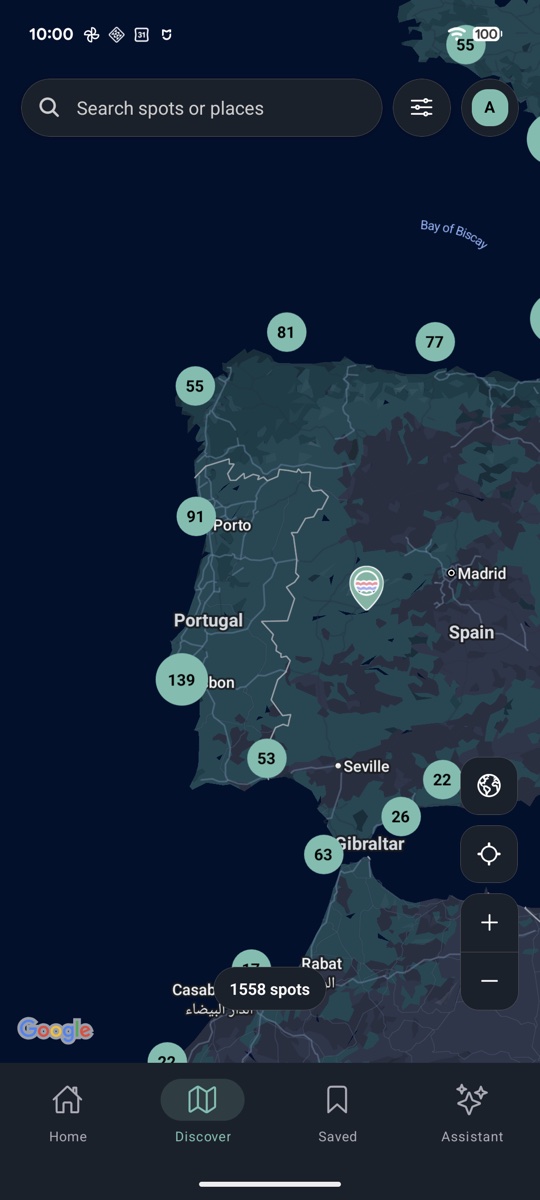
-
 Guide and photos of Punta Paloma (Tarifa) See how Levante and Poniente change the wind at Punta Paloma, and where the path reaches the beach.
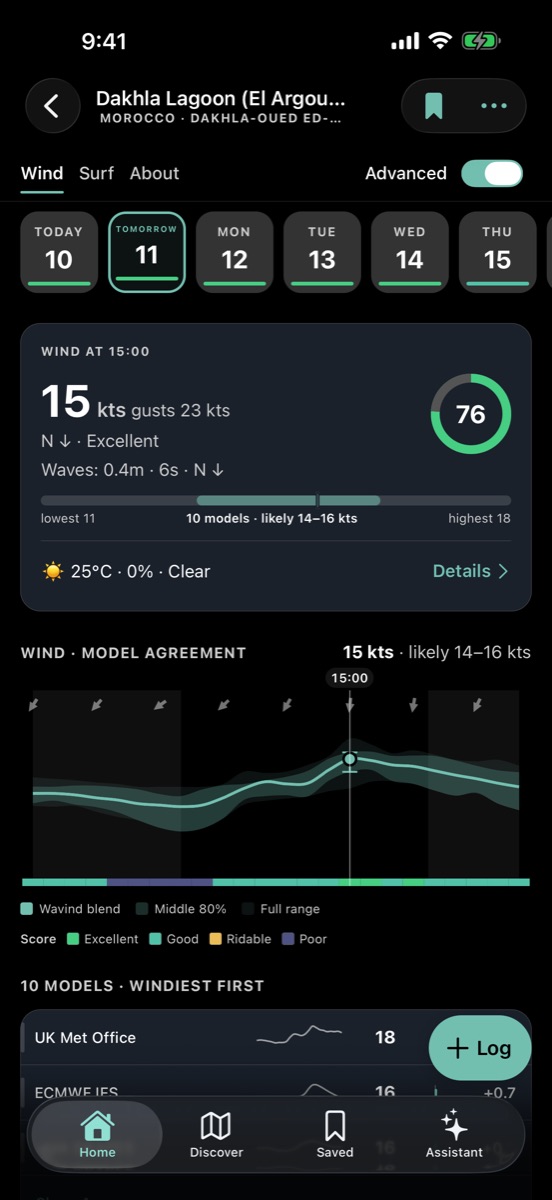
- Compare session windows See how the models differ hour by hour. The session score highlights times that fit your sport and preferences.
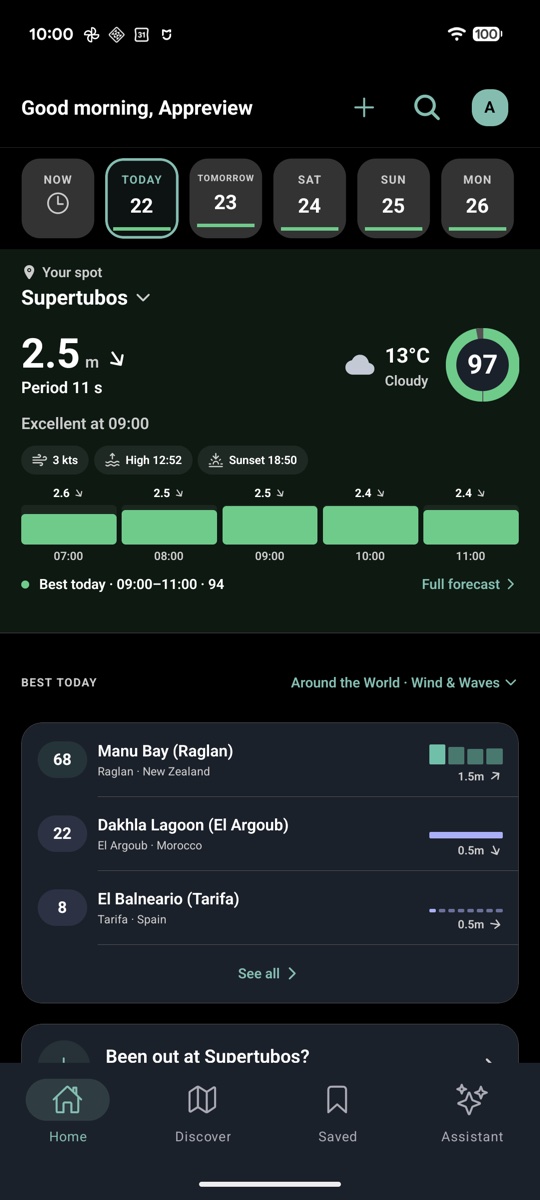
- Take it to the water Save spots on iPhone or Android, get a briefing for tomorrow and record a session with a paired Apple Watch.


What you get, side by side
Reading the forecast
- Windy.app
-
Compare Mode compares forecast models; custom profiles let you choose the parameters displayed.
Vendor source — Windy.app: Reading the forecast - Wavind
-
Compare available models, including GFS, ICON and ECMWF where covered. Session Score combines conditions with your preferences.
Learn more — Wavind: Reading the forecast
GPS sessions on Apple Watch
- Windy.app
-
The app supports Apple Watch. Its store listing does not describe GPS session recording on the watch.
Vendor source — Windy.app: GPS sessions on Apple Watch - Wavind
-
Record kite, wing, windsurf and surf sessions with GPS. The watch app comes free with Wavind for iPhone.
Learn more — Wavind: GPS sessions on Apple Watch
Multi-day trips
- Windy.app
-
On iOS, Forecast Along the Route shows the weather on a route you draw in the Hike or Bike profile.
Vendor source — Windy.app: Multi-day trips - Wavind
-
Enter your dates, region and sport. Get a day-by-day route with spots and forecasts that you can save together.
Learn more — Wavind: Multi-day trips
Alerts
- Windy.app
-
Wind alerts are listed among PRO features.
Vendor source — Windy.app: Alerts - Wavind
-
A daily mobile briefing for tomorrow, for wind, surf or both. Free includes alerts; Pro increases the spot allowance.
Learn more — Wavind: Alerts
Main focus
- Windy.app
-
Weather maps and outdoor sport profiles.
Vendor source — Windy.app: Main focus - Wavind
-
Planning kite, windsurf, wing foil and surf sessions around your spots and preferences.
Learn more — Wavind: Main focus
Free and paid access
- Windy.app
-
Free access and paid PRO offers. Check the current web offer or your app-store checkout.
Check current plans and prices — Windy.app: Free and paid access - Wavind
-
Public spot forecasts: 7 days free, 14 days with Pro. Current local prices and allowances are on Plans.
Check current plans and prices — Wavind: Free and paid access
Check the vendor’s checkout for your country, currency, taxes and renewal terms. App-store offers can differ from web offers; no trial or promotion is assumed here.
Sources checked: . Written by Wavind. This comparison covers features and workflows, not a ranking of forecast accuracy.
Frequently asked questions
Is this a comparison with Windy.com?
No. Windy.app and Windy.com are separate products. The feature and pricing links on this page refer to Windy.app. Check the name and publisher of your installed app before comparing plans.
Does Windy.app already compare models?
Yes. Windy.app documents Compare Mode and customizable profiles. Wavind also lets you inspect multiple models where available; the reason to consider it here is how saved spots, personal session scoring and a daily briefing fit your routine.
When does it make sense to keep using Windy.app?
If you already know your way around Windy.app and it covers everything you need, keep using it. You can try Wavind on a familiar spot before deciding.
Can I try Wavind without paying?
Yes. Open a public spot forecast in your browser without an account to see the next 7 days. Create a free account to save spots and personalize your setup. Pro adds the 14-day outlook and higher allowances; check Plans before subscribing.
Does installing Wavind move or cancel my existing subscription?
No. Treat the two services as separate accounts. Installing Wavind does not import your saved spots or cancel another subscription. Recreate the spots you need and manage any existing renewal with the service or store where you bought it.
Compare forecast apps
Keep the tools that help at your spot. Compare their strengths, paid plans and the way you plan a session.
Start with the spot you know
Open Wavind on the web, or install the iPhone or Android app. Check your home spot before choosing a plan.